















.jpg "Geometry Dash Spider")






Slow Roads io
The playing rules of Slow Roads io
Choose worlds and weathers
At the beginning of the game, you can customize your experience by choosing from a variety of options. First, you will be able to select your world/location, with two available choices: Off-World and Hills. Next, you can pick the road style that best matches how you want the challenge to feel. The available road styles include: casual, normal, straight, and winding. Each style changes the way the track behaves and how difficult it feels to keep control. You can also choose the season you want to play in: spring, summer, fall, or winter. Seasons can affect the visual atmosphere of the game and create different driving moods.
After that, you may select the weather condition, choosing between sunny or cloudy. This choice adds variety to each run and changes the overall feel of visibility and atmosphere. Finally, you can select your vehicle. You have three options: a car, a bus, or a motorcycle. Each vehicle offers a different driving experience, so you can experiment to find the one that matches your driving style.
Drive as far as possible
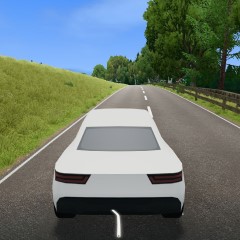
The goal of Slow Roads.io is simple: drive as far as you can. Your main objective is to keep moving forward and travel the greatest distance possible in each run. As you play, your job is to focus on control, speed, and decision-making. Drive carefully, react quickly to changes in the road, and try to maintain momentum. The game also encourages you to do more than just survive. Try different routes, adjust your driving technique, and learn how each setup affects handling. If you accidentally crash into an obstacle, your vehicle will not be destroyed. That means you do not need to panic after mistakes. You can keep going and try again, making the game an excellent practice environment to improve your driving skills.
Besides, what about playing other exciting driving games, such as Truck Driving and Up Hill Racing, on our website?
How to control
- WASD keys/ Arrow keys = Drive the car around.
- F key = Autodrive.
- Q key/ E key = Change the weather.
- R key = Reset the position of the car.
- C key = Change the camera view.
- U key = Open or close the main menu.
- P key = Pause the game.
- B key = Stop immediately.
Tips and Tricks
- In Slow Roads.io, you can switch between camera perspectives to find your preferred driving perspective, such as first-person for immersion or top-down for navigation.
- Try strategically using the handbrake when turning through hilly or winding roads to stay on track.
- If you want to relax, you can turn on autopilot and let the car drive forward while you enjoy the scenery.
- You can also customize settings such as weather and terrain to create the perfect backdrop for your ride.